I've been running Apple's iOS 17 Public Beta for a little while and aside from admirable stability, the other word that comes to mind is...fun.
There are a collection of updates in the Public Beta, which Apple dropped on Wednesday (July 12) that transform the platform in entertaining and useful ways, and I've tried them all.
I know, everyone is talking about the Contact Posters. They're fine and certainly easy enough to create, but since some people won't feel comfortable putting their face on display for every call (that's just one option, obviously) maybe it's not an entirely fun feature. The ones I selected spark, in me at least, a little bit of joy.
Now bear with me, because not every feature named is a laugh-riot.
StandBy
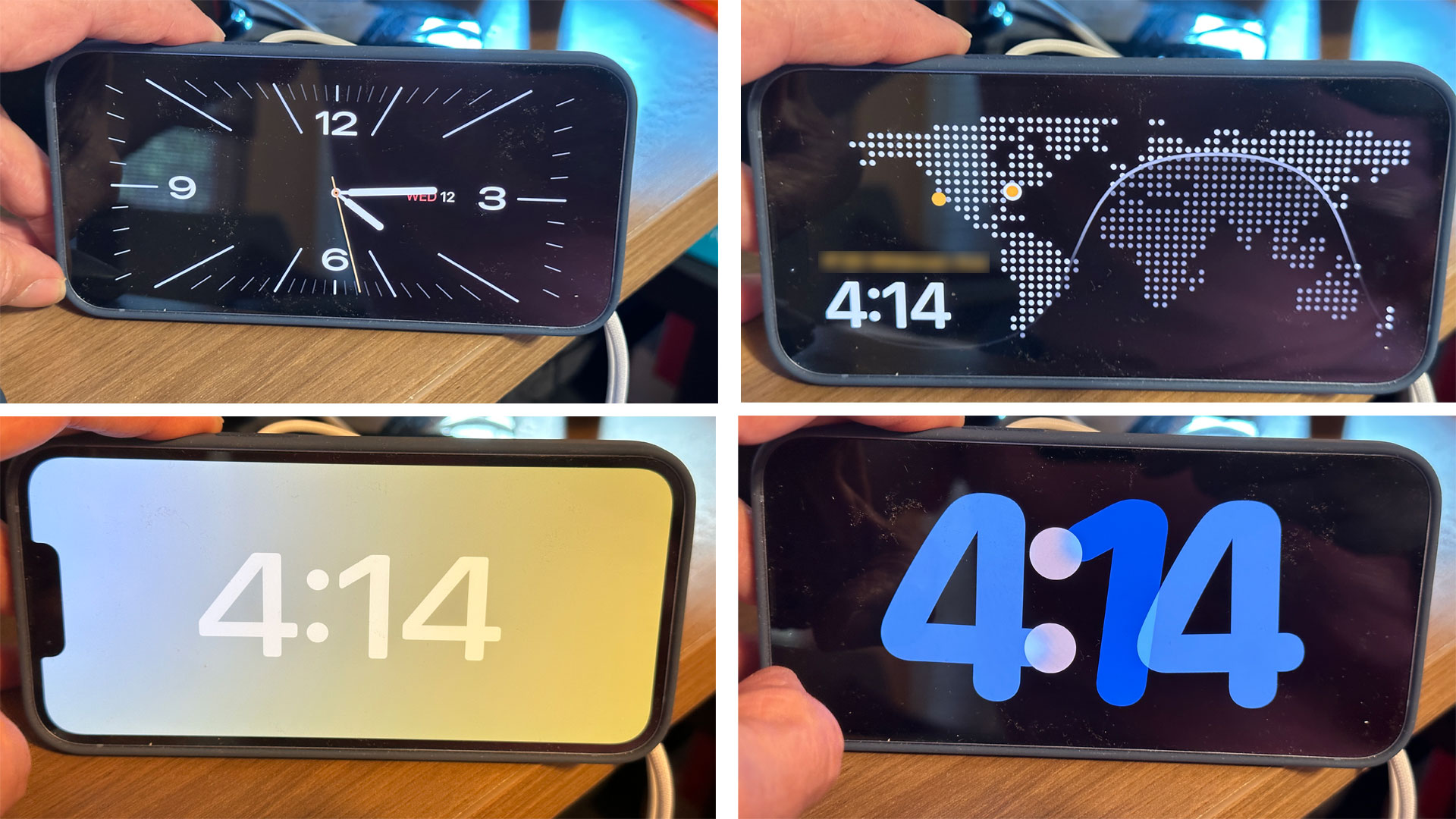
Why Apple didn't introduce this feature ages ago is beyond me, but iOS 17 finally has a StandBy mode that transforms your iPhone into a bedroom alarm clock, one that you can now read with one groggy eye open before rolling over and going back to sleep.
The feature will work on all iPhones that support iOS 17 (back to iPhone 8) but StandBy isn't entirely useful without an Always On display, which you can only find in the iPhone 14 Pro and iPhone 14 Pro Max.
For my initial tests, though, I loaded up an iPhone 14 with iOS 17 and that connected it to an Apple MagSafe charger. After that, I just turned the phone sideways and leaned it against something. The screen almost instantly turned into a wide-screen clock. I swiped through a few selections including one that showed the clock on one side and my schedule on the other. I could reach out and swipe through to see, Reminders, the Weather, and other widgets. There are quite a few display options, including a classic full-screen clock and one that shows your photos behind the time.
With the iPhone 14 Pro Max I used for my second set of tests, the Always On screen will stay on all night. Other phones will take a tap on the screen. Plus, if you invest in Belkin's new Belkin Boost Charge Pro 2-in-1 Wireless charge stand with MagSafe ($99.95/£109.95), you won't have to worry about propping up the phone.
I know, this all sounds useful to you, but it somehow makes the iPhone a little more fun for me.
This iOS17 Standby mode is pretty sweet. Must be on a charger to work. pic.twitter.com/wVTVcUQOoKJuly 12, 2023
Stickers
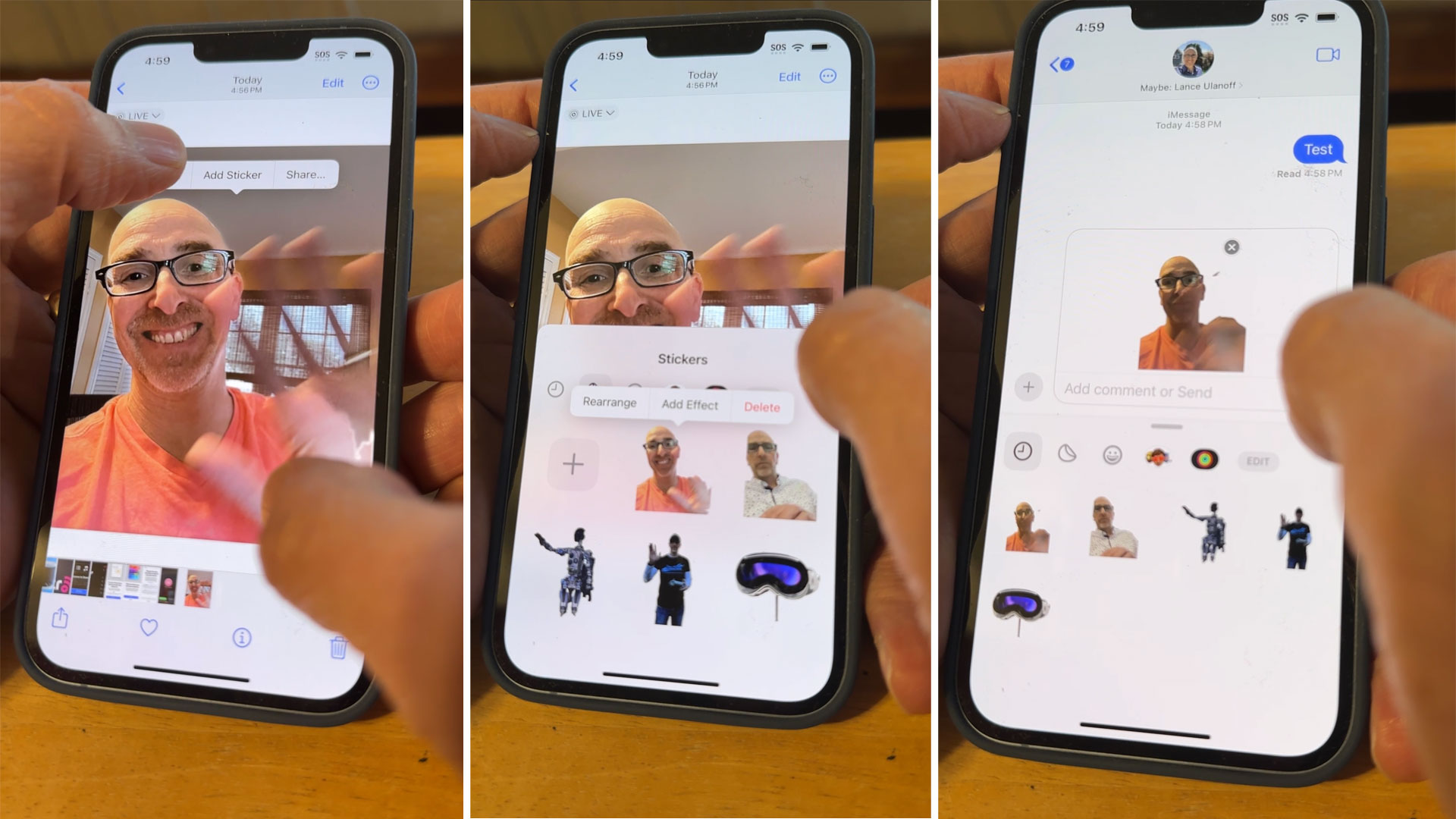
iOS 17's Stickers are obviously fun but I'm not sure you realize just how much fun they can be when combined with Live Photos...and Messages.
As you may recall, stickers are things you create on your iPhone and then use across the platform. They typically come from photos using Apple's brilliant lift-subject-from-background feature, which was initially introduced in iOS 16. To access that you open Photos, open an image, and then hold your finger down on the main subject of an image. It does not have to be a person.
When you do that the subject will lift and you can drag and drop it anywhere. I prefer, though, to drop it and wait for the Copy/Add Sticker/Share menu to appear. If you select Sticker, iOS 17 lets you add it to the menu of stickers that you can then use in other Apple apps like Messenger.
Creating a sticker instead of using Copy adds a potential bit of fun to your stickers especially if you're using a Live Photo. I took a photo of me waving and then made a sticker that shows me waving enthusiastically. Now I can message that sticker to my wife any time she wants. On her end, she sees this tiny looping image.
Fun, right?
Reactions
I'm not a big FaceTime guy, probably because we use Google Meet at work, and most companies I talk to use WebEx or Zoom. FaceTime is not a business tool. It is though for friends and families and, if I think about it, the person I FaceTime with the most is my wife, and I think she'll appreciate the iOS 17 FaceTime enhancements.
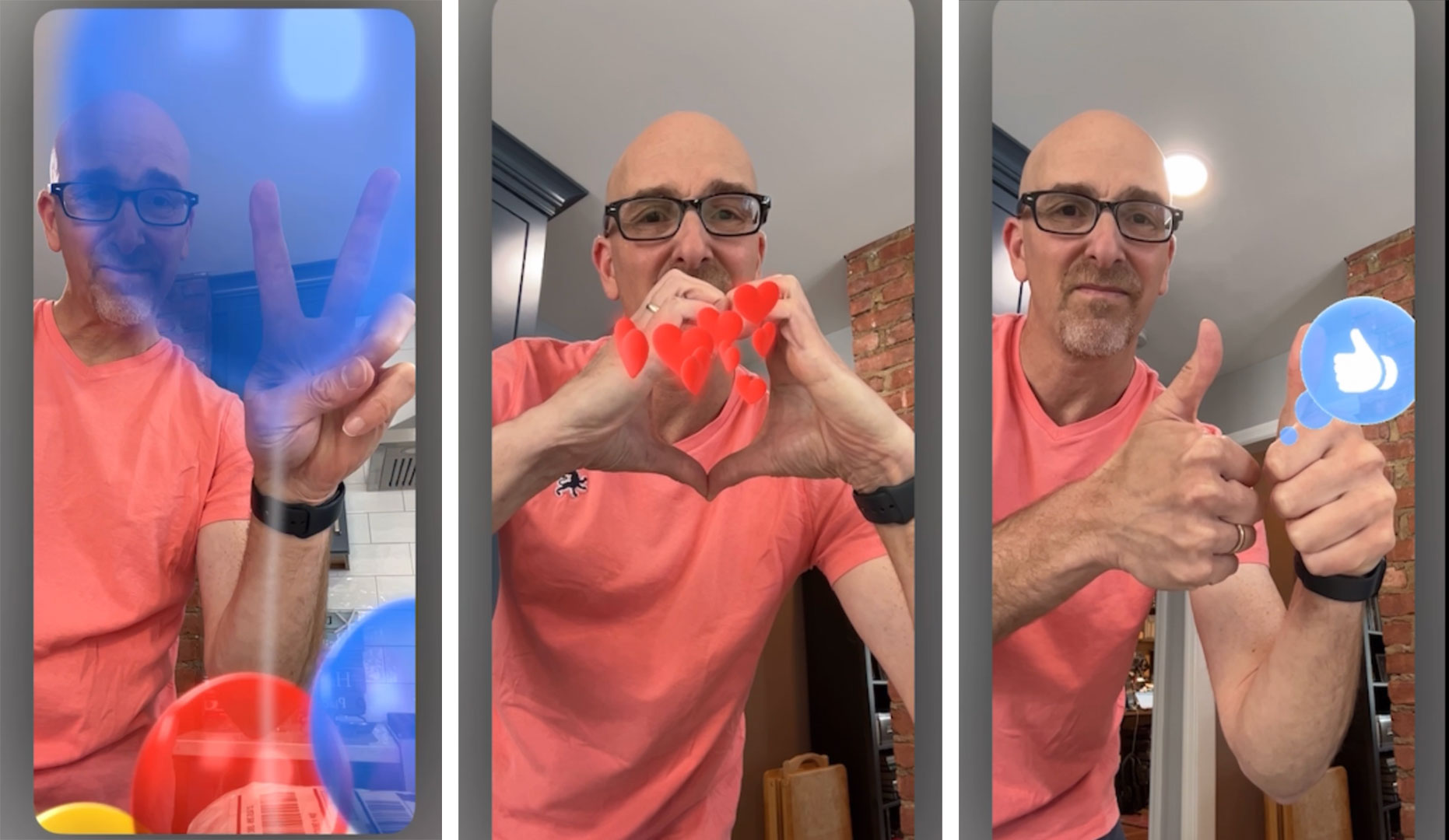
Reactions are what they sound like: in-call, graphical reactions you can launch during the call using a series of gestures.
You can send love by making a heart symbol with your hands and the red hearts will literally appear to come from within your cupped hands and float outward toward the screen.
For multi-colored balloons, I made a peace sign, and, for an oddly Facebook-like thumbs-up graphic, I made two thumbs up.
I did struggle a bit to get any of these working and my wife was not as impressed as I'd hoped.
Even so, I put this feature firmly in the fun column.
Less 'Hey' Siri
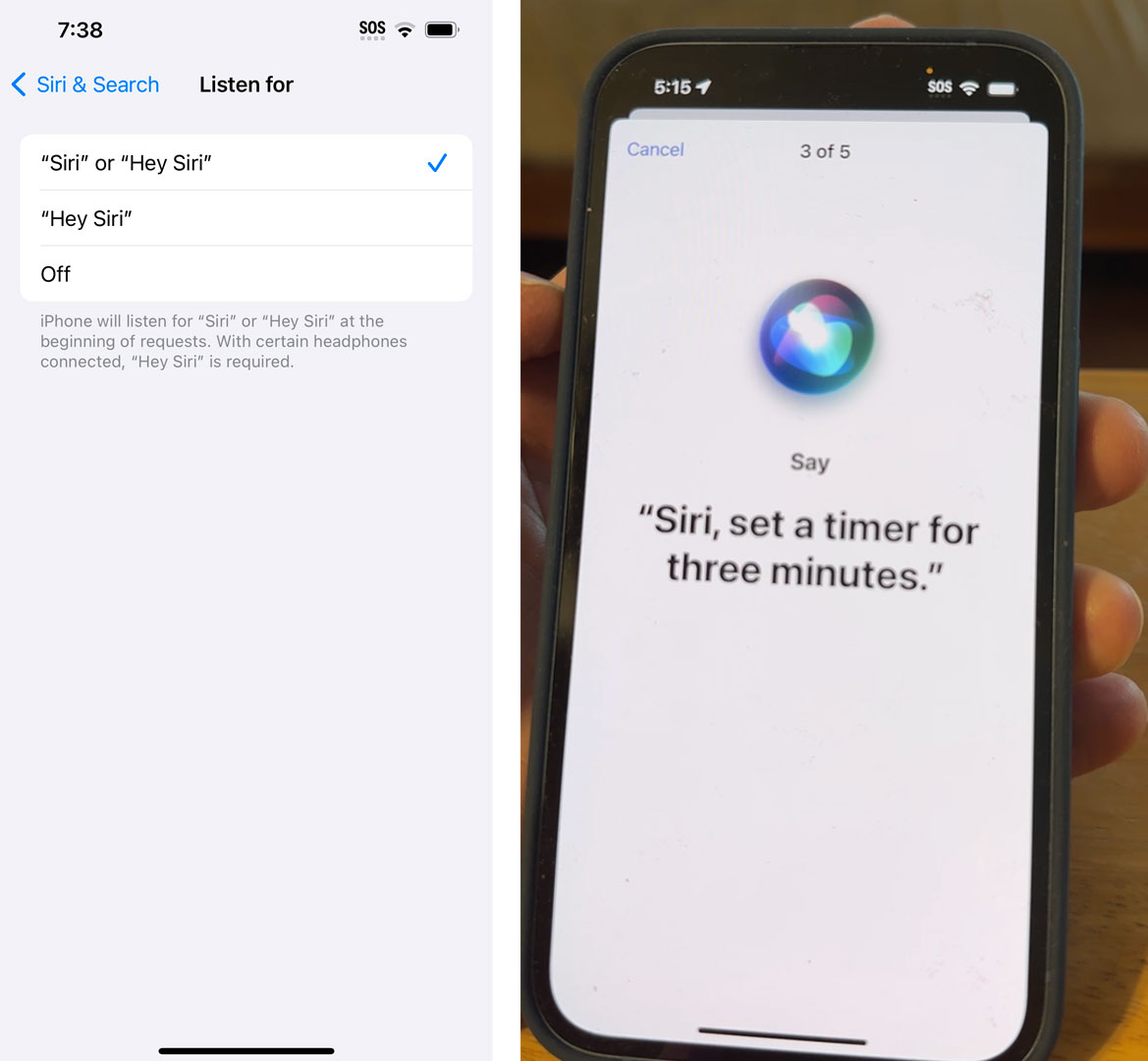
All these "Heys" before our voice assistants listen to us have always made them seem so formal. I don't do that every time I want to speak to my wife, kids, or friends. Okay, maybe I just say "hey," without their names. Still, "hey" plus the name is a lot.
Being able to use Siri without the preamble is nice. It was easy to set up, I just had to enable Listen for "Siri" or "Hey Siri" in iOS 17 settings and then train Siri to respond to phrases both with and without "hey."
Once I did that I found that Siri would immediately respond to the sound of its name. It makes Siri even more personal and, yes, fun.
If you want to join in the fun and are ready to put your best iPhone on the public beta path, you can download iOS 17 Public Beta here.
Comments